
7 Best AI Video Clipping Tools in 2026 (Free & Paid)
 Neeraj Kirola
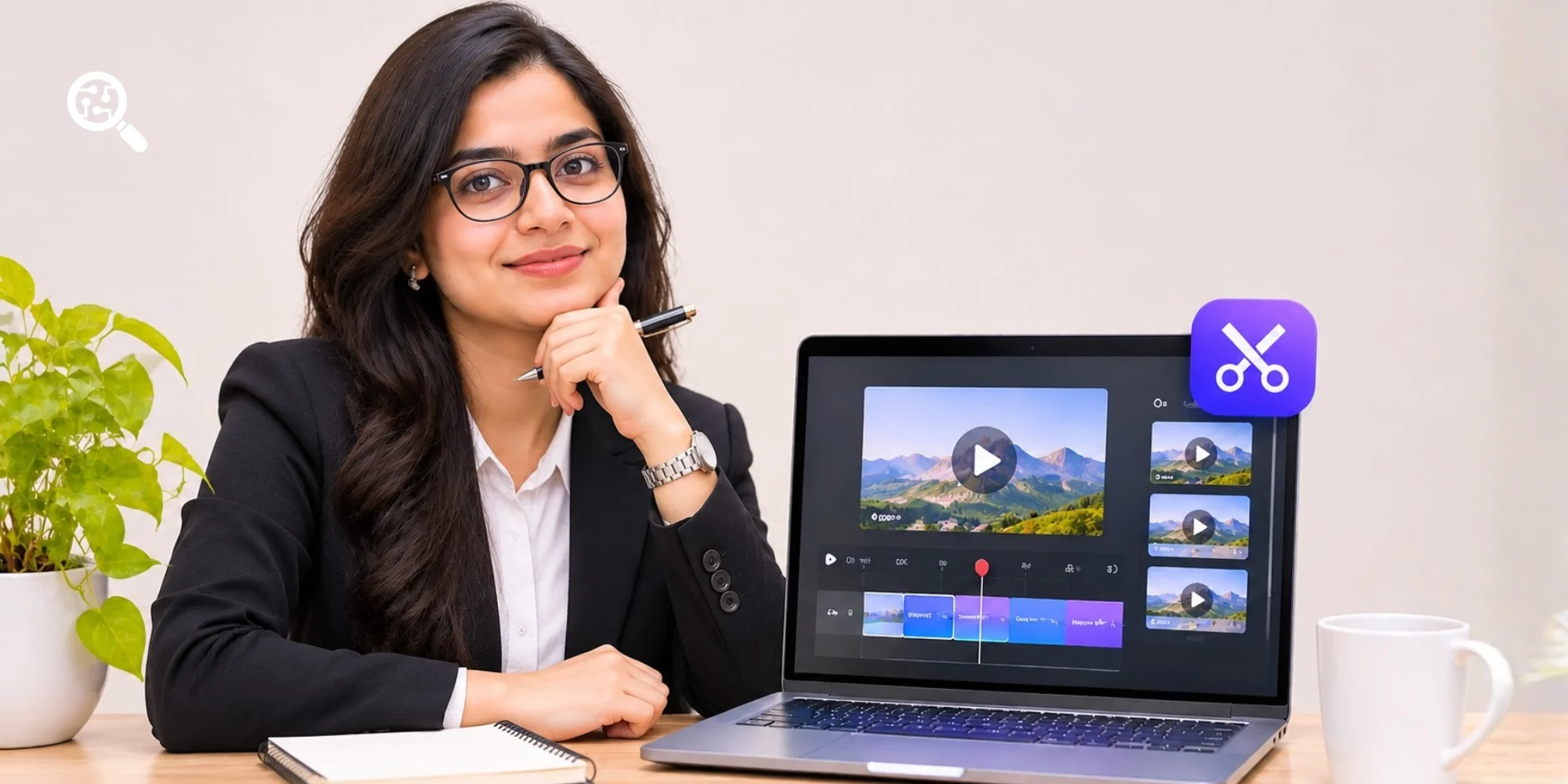
Creating short form videos from podcasts, webinars, interviews, and YouTube videos can be time consuming. Editors often spend hours identifying valuable moments, trimming footage, adding subtitles, and resizing videos for different social media platforms. AI video clipping tools simplify this process by automatically identifying interesting moments from long form videos and converting them into short, shareable clips.
Modern AI clipping software can also generate captions, track speakers, remove unnecessary pauses, recommend highlights, add B-roll, and convert horizontal videos into vertical formats. Whether you are a YouTuber, podcaster, digital marketing agency, ecommerce brand, or business owner, these tools can help you repurpose existing content without starting every video from scratch.
However, choosing the right platform requires more than comparing AI features. Processing limits, caption accuracy, editing flexibility, export quality, and subscription costs can significantly affect your workflow.
This guide compares seven leading AI video clipping tools to help you find the right option for your content creation requirements.
What Are the Best AI Video Clipping Tools in 2026?
OpusClip, Vizard, Klap, Submagic, Descript, Riverside, and reap are among the best AI video clipping tools for converting long videos into short form content. OpusClip is our overall editorial pick for automatic video repurposing, while Vizard is particularly suitable for high volume content production. Klap works well for YouTube Shorts, Submagic specializes in animated captions, and Descript and Riverside offer comprehensive podcast production workflows. For affordable multilingual video clipping, reap is another strong option.
7 Best AI Video Clipping Tools: Quick Comparison
How We Selected the Best AI Video Clipping Tools
Our editorial comparison focuses on seven important aspects of video repurposing.
The comparison is based on documented product capabilities, official pricing pages, and product support documentation. These weights represent our editorial evaluation framework rather than independently measured performance scores. We have not conducted a controlled hands on benchmark across all seven platforms. Therefore, we do not assign fabricated accuracy scores, processing times, or customer ratings.
1. OpusClip

Best for: YouTubers, podcasters, content creators, business owners, and marketing agencies.
OpusClip is an AI-powered video clipping platform that automatically converts long-form videos into shorter, social media ready clips. Its main advantage is its ability to combine highlight selection, automatic video reframing, captions, clip scoring, editing, and publishing within a single platform. OpusClip can analyze spoken content and, on eligible plans, visual elements, sound, and emotional signals to identify potentially interesting video segments.
This makes it useful for podcasts, interviews, educational videos, webinars, presentations, and other content formats. Its ClipAnything technology expands the clipping workflow beyond traditional transcript based highlight selection. Another notable feature is its Virality Score, which helps creators prioritize clips for review. However, this score should not be interpreted as a guarantee of views or engagement.
Key Features of OpusClip
- AI powered long video to short video conversion.
- Automatic highlight selection.
- Virality Score for clip prioritization.
- ClipAnything video analysis.
- Automatic video reframing.
- Animated captions in more than 20 languages.
- Text based and timeline based editing.
- AI generated and stock B-roll.
- Automatic pause and filler word removal.
- Custom branding templates and fonts.
- Social media scheduling and publishing.
- Adobe Premiere Pro and DaVinci Resolve integration.
- Team workspaces and API access on eligible plans.
How to Use OpusClip

A marketing consultant recording a 60 minute interview with an ecommerce founder can upload the video to OpusClip. The platform identifies potential highlights and generates shorter videos with captions and vertical framing. The creator can then review the selected moments, refine the opening hook, correct subtitles, and export clips for LinkedIn, YouTube Shorts, or Instagram Reels. For content teams publishing several podcasts each month, this approach can reduce repetitive editing work.
OpusClip Pricing
The free plan does not include manual editing, and generated clips become unavailable for export after three days. Pro offers additional editing, B roll, publishing, team, and professional export features.
OpusClip Pros and Cons
When Should You Choose OpusClip?
Choose OpusClip if you regularly produce long-form videos and want to generate, edit, and publish short clips without relying on several different applications.
Our verdict: Best overall AI video clipping tool for an integrated repurposing workflow.
2. Vizard

Best for: Content marketing agencies, educational creators, media teams, and businesses with extensive video libraries.
Vizard helps users turn podcasts, webinars, interviews, and other long videos into short clips with automatic captions and social media layouts. Unlike a simple AI clip generator, Vizard also offers an online video editor for customizing the generated content. This is particularly important for agencies that need to maintain different branding styles across multiple clients.
Its credit based subscription model also makes it relevant for teams that can estimate how much source footage they process every month.
Key Features of Vizard
- Automatic AI video clipping.
- AI highlight identification.
- Transcript-based video editing.
- Automatic captions and subtitle customization.
- Automatic speaker tracking and reframing.
- Video trimming and resizing.
- Multiple social media aspect ratios.
- Custom branding.
- Social media publishing.
- Team collaboration.
- Cloud-based video management.
- Credit-based video processing.
How Vizard Works
An educational content agency could upload four recorded webinars, each approximately one hour long. Vizard can identify useful explanations from the recordings and generate short video clips. Editors can then customize the subtitles, apply the client's branding, adjust clip boundaries, and prepare different versions for social media. This makes Vizard particularly useful when a team needs to create a large number of clips from an existing video library.
Vizard Pricing
Vizard's plans use credit-based allowances. The exact Creator price used here comes from the earlier pricing comparison and could not be freshly confirmed from its dynamic checkout. Check the current clipping product's pricing before purchasing, rather than assuming that its separate AI Agent pricing applies.
Vizard Pros and Cons
When Should You Choose Vizard?
Choose Vizard when you process several hours of podcasts, interviews, or webinars every month and require both automatic clipping and manual editing.
Our verdict: Best for high volume video repurposing and agency workflows.
3. Klap

Best for: YouTube creators, podcasters, influencers, and social media marketers.
Klap is a video repurposing tool focused on automatically creating short-form videos from longer recordings. It is particularly suitable for talking-head videos, interviews, podcasts, and educational content. Klap's main differentiator is its clip-based pricing model. Instead of comparing only source video processing hours, users can select subscriptions based on how many clips they need to generate. This is useful for creators with a defined monthly publishing target.
Key Features of Klap
- Automatic AI video clipping.
- AI powered highlight detection.
- Automatic active speaker reframing.
- Animated captions.
- Virality scoring.
- Short-form video customization.
- Social media account connections.
- Publishing analytics.
- Clip-based subscription allowances.
- Vertical video generation.
How Klap Works
A YouTuber publishing a weekly 40 minute educational video can upload the recording to Klap. The platform generates potential short videos by identifying relevant sections and automatically preparing them with captions and vertical framing. The creator can select the strongest highlights and publish them as Shorts, Reels, or TikTok videos. The important consideration is that each clip should contain enough information to make sense without the original video.
Klap Pricing
Klap's official pricing information was updated on November 4, 2026. Its paid plans include AI clipping, animated captions, active speaker framing, clip scoring, social account connections, and analytics.
Klap Pros and Cons
When Should You Choose Klap?
Choose Klap if your main objective is producing a defined number of YouTube Shorts, Instagram Reels, or TikTok videos each month.
Our verdict: Best dedicated option for creators focused on short-form social media video generation.
4. Submagic:

Best for: Instagram creators, personal brands, TikTok influencers, video editors, and digital marketing agencies.
Submagic focuses on helping creators produce visually engaging short videos with animated captions, automatic B roll, zoom effects, and improved pacing. Its Magic Clips functionality supports long form content repurposing, while its standard editing tools help improve the presentation of individual clips. Compared with dedicated clipping platforms, Submagic places greater emphasis on the visual presentation of short form content. This can be particularly useful for personal brands, educational creators, and businesses that want a consistent visual identity across their videos.
Key Features of Submagic
- AI video clipping through Magic Clips.
- Animated captions and subtitle templates.
- AI-generated hook titles.
- Automatic B-roll.
- Automatic zoom effects.
- Text-based video trimming.
- Silence and bad take removal.
- AI audio enhancement.
- Custom brand assets and fonts.
- Subtitle translation.
- Social media publishing and analytics.
- API access.
- 4K video exports on eligible plans.
How Submagic Works

Consider a business founder who records a podcast discussing startup growth, marketing, and entrepreneurship. After selecting or generating interesting clips, the founder can use Submagic to add branded subtitles, remove unnecessary pauses, highlight important words, and insert relevant B roll. The creator can then prepare short versions of the video for Instagram, LinkedIn, and YouTube. The advantage is having several common short form editing functions in one application, rather than manually adding every visual effect.
Submagic Pricing
Prices are per member. Starter supports standard videos up to two minutes, Pro up to five minutes, and Business up to 30 minutes.
Important: These are standard editing allowances, not necessarily Magic Clips processing allowances. Confirm long form clipping limits and any additional charges before subscribing.
Submagic Pros and Cons
When Should You Choose Submagic?
Choose Submagic if you already produce interesting content and want to improve the visual quality of your short videos with captions, B roll, and automated editing.
Our verdict: Best AI powered short form video editor for caption styling and visual engagement.
5. Descript:

Best for: Podcasters, video editors, educators, interview creators, and media production teams.
Descript combines video editing, audio editing, recording, transcription, and AI-powered content repurposing. Unlike dedicated AI clipping tools, Descript allows creators to edit an entire video or podcast by modifying its transcript.
For example, deleting an unnecessary sentence from the transcript also removes the associated section of audio and video.
Its AI assistant, Underlord, helps with editing and generating short clips from longer recordings. This makes Descript useful for creators who want more control over the original recording before generating promotional clips.
Key Features of Descript
- AI generated video highlights and clips.
- Transcript based video editing.
- Automatic transcription in 25 languages.
- Podcast recording and editing.
- AI powered editing assistance.
- Automatic subtitle generation.
- Filler word removal.
- Studio Sound audio enhancement.
- AI eye contact correction.
- Screen and remote recording.
- Custom video layouts.
- Collaborative editing.
- Up to 4K video exports on eligible plans.
How Descript Works

A podcaster recording a 90 minute conversation can import the episode into Descript and generate a transcript. The editor can identify repetitive sections, unnecessary pauses, and transcription errors. After editing the complete episode, the creator can generate potential short clips from the same project. This allows the team to manage podcast editing, transcription, audio improvements, and content repurposing within a connected workflow.
Descript Pricing
Descript distinguishes media-processing minutes from AI credits. Having enough media minutes does not necessarily mean that you have unlimited access to AI clipping and editing.
The current official pricing comparison confirms the listed media allowances per editor.
Descript Pros and Cons
When Should You Choose Descript?
Choose Descript if you need to edit complete podcast episodes or interviews and generate short videos without transferring projects between multiple editing tools.
Our verdict: Best AI video clipping and editing combination for podcast creators who need greater control over their content.
6. Riverside

Best for: Podcasters, interview hosts, webinar organizers, media companies, and business content teams.
Riverside is a content production platform that combines remote recording with AI-powered audio and video editing. Its Magic Clips feature automatically identifies highlights from recorded conversations and generates shorter videos suitable for social media. Riverside differentiates itself by offering a workflow that begins with recording rather than requiring users to upload footage created elsewhere. Its separate audio and video tracks also give creators greater flexibility when editing remote interviews.
Key Features of Riverside
- AI-generated Magic Clips.
- Remote audio and video recording.
- Separate speaker recording tracks.
- Automatic transcripts.
- High-resolution video recording.
- Text-based editing.
- Automatic captions.
- AI-generated podcast show notes.
- Speaker-focused clipping.
- Keyword-based clip selection.
- Audio enhancement.
- Podcast hosting and analytics.
- Social media publishing.
How Riverside Magic Clips Works

A podcast host can invite guests into Riverside, record an interview, generate a transcript, and create promotional highlights from the same project. Riverside also lets eligible users adjust clip duration, select speakers, and specify topics through keywords. According to Riverside's official documentation, Magic Clips typically identifies two clips for every five minutes of recorded conversation, with clips generally lasting 30 to 90 seconds. For a 60 minute podcast, that suggests approximately 24 potential clips under the vendor's typical output estimate. The actual number and quality can vary considerably.
Riverside explicitly describes this functionality as experimental.
Riverside Pricing
Riverside's documentation confirms that Pro, Grow, and Webinar plans allow up to three Magic Clips sets per recording, while Business allows up to five.
Riverside Pros and Cons
When Should You Choose Riverside?
Choose Riverside if you regularly record podcasts or remote interviews and want to simplify the entire content workflow from recording to publishing.
Our verdict: Best for creators seeking an integrated recording and AI clipping platform.
7. reap

Best for: Budget conscious creators, multilingual marketing teams, international businesses, educators, and content agencies.
reap helps creators convert long videos into short clips while also providing automated captions, translation, and dubbing. Its standout feature is the combination of multilingual video processing and competitive annual pricing. The Creator plan offers up to ten hours of source video clipping per month for an annual billing equivalent of $9.99. reap is particularly useful for businesses targeting audiences who speak different languages because its documented features include captioning in more than 100 languages, dubbing in more than 80 languages, and Romanized subtitle support.
Key Features of reap
- Automatic video highlight selection.
- Prompt based AI clipping.
- AI Virality Score.
- Automatic speaker tracking.
- Genre specific clipping models.
- Animated subtitles.
- Caption support for more than 100 languages.
- AI dubbing in more than 80 languages.
- Romanized subtitles, including Hinglish.
- Multiple video aspect ratios.
- Custom subtitle templates.
- Social media scheduling.
- API access and integrations.
- Up to 4K exports on Studio.
How reap Works

An entrepreneur publishing educational videos in English and Hindi can upload a long-form recording to reap. The platform can suggest highlights, automatically resize the video, and create subtitles. The creator can then translate subtitles or generate dubbed versions to reach additional audiences. For international content teams, this can reduce the need to use separate clipping, captioning, and translation applications. Translated scripts and dubbed audio should still be reviewed by someone familiar with the target language.
reap Pricing
The Creator plan costs $119.88 annually and includes watermark-free 1080p exports and up to two monthly hours of dubbing and translation.
Studio costs $348 annually and includes 4K exports and up to five monthly hours of dubbing and translation.
reap Pros and Cons
When Should You Choose reap?
Choose reap if you need affordable automatic clipping, multilingual subtitles, or dubbing for international social media audiences.
Our verdict: Best affordable AI video clipping tool for multilingual content repurposing.
AI Video Clipping Tools: Detailed Feature Comparison
Feature availability varies by subscription. Confirm the relevant plan rather than assuming every advertised capability is included in the cheapest subscription.
What Is an AI Video Clipping Tool?
An AI video clipping tool is software that automatically analyzes long-form video content, identifies relevant highlights, and converts them into shorter clips using artificial intelligence. These tools frequently include automatic subtitles, video resizing, speaker tracking, editing, and social media publishing.
For example, a creator can upload a one hour podcast and generate multiple vertical videos for YouTube Shorts, Instagram Reels, and TikTok without manually identifying every potential highlight. The main purpose of AI clipping software is to reduce repetitive video editing work and help creators repurpose existing content more efficiently.
How Do AI Video Clipping Tools Work?
Illustration: how AI converts long form videos into short form social media content.
AI video clipping platforms typically use a combination of speech recognition, natural language processing, computer vision, and automated video editing.
1. Automatic Speech Recognition
Automatic speech recognition converts spoken audio into a searchable transcript. This helps the software understand what is being discussed and identify sections containing potentially useful information.
2. AI Highlight Detection
AI models analyze the transcript and, in some platforms, visual and audio signals to identify interesting moments. These can include practical advice, memorable statements, compelling questions, emotional reactions, and useful explanations.
3. Computer Vision and Speaker Tracking
Computer vision enables selected clipping tools to identify faces, speakers, objects, and movement within video footage. This is particularly important when converting horizontal interviews into vertical social media videos.
4. Automatic Video Reframing
The software adjusts the original video crop to fit different aspect ratios while attempting to keep important visual elements visible.


5. Automatic Caption Generation
The platform generates subtitles and synchronizes them with the audio. Advanced tools also offer animated keywords, emoji insertion, custom fonts, subtitle translation, and other visual enhancements.
6. AI Clip Scoring
Some video clipping tools assign scores to generated clips based on characteristics associated with engagement potential. These scores can help creators prioritize their review process, but they cannot predict social media performance with certainty.
7. Editing, Exporting, and Publishing
Finally, creators review the generated clips, customize branding, correct captions, and export the finished content in appropriate formats. Some platforms also support direct social media publishing.
Best Free AI Video Clipping Tools in 2026
Several AI clipping platforms offer free access, making it possible for beginners to experiment with video repurposing before purchasing a subscription.
Best free AI video clipping tool overall: OpusClip.
Best free tool for podcast editing: Descript.
Best free tool for multilingual clipping: reap.
Free plans are generally suitable for occasional video creation. Creators who publish several short videos every week may benefit from paid processing allowances, watermark-free exports, and additional editing capabilities.
Which AI Video Clipping Tool Offers the Best Value?
Subscription price alone does not determine the value of an AI clipping tool. Some platforms charge based on source video processing time, while others charge based on generated clips, AI credits, or team seats.
AI Video Clipping Cost per Hour
The following comparison uses published allowances for selected subscription plans.
reap Creator (annual)
$1.00/hr
10 clipping hours/month
OpusClip Pro (annual)
$2.90/hr
300 processing credits/month
OpusClip Starter (monthly)
$6.00/hr
150 processing credits/month
Estimated software cost per source video hour at full utilization. OpusClip calculations assume one credit per minute of standard source video processing. Additional AI features may consume credits differently.
Source subscription allowances: official OpusClip and reap pricing pages.
Vizard and Descript also offer substantial processing allowances, but their exact costs and credit definitions should be checked before making a direct comparison.
Klap uses a different clip based model, while Submagic's standard editing allowances should not be confused with Magic Clips allowances.
AI Video Clipping Cost Calculator
The cost per approved clip is often a more useful business metric than the cost per generated clip because not every automatically selected highlight will be worth publishing.
Which AI Video Clipping Tool Is Best for Your Requirements?
How to Turn Long Videos Into Short Clips Using AI


Creating short form content using AI clipping tools generally involves the following eight steps.
Step 1: Choose the Right Source Video
Select a podcast, interview, webinar, tutorial, or product demonstration that contains useful information and distinct discussion topics. Longer videos do not necessarily produce better clips. A well structured 20 minute recording can contain more useful moments than a repetitive two hour conversation.
Step 2: Upload or Import the Video
Upload the video file or import it from a supported platform such as YouTube, Google Drive, Zoom, or Vimeo. Always ensure that you have permission to process and republish the original footage.
Step 3: Define the Target Audience
Determine whether the clips are intended for potential customers, industry professionals, students, existing subscribers, or general entertainment audiences.
Where prompt-based clipping is available, specify the topics that are most valuable to your audience.
Step 4: Choose the Video Length and Format
Select an appropriate clip duration and aspect ratio.
These are editorial starting points, not maximum platform duration limits or guaranteed optimal lengths.
Step 5: Generate AI Video Clips
Allow the software to analyze the footage and generate potential highlights. Review the suggested clips to determine whether each one has a clear topic, understandable context, and useful takeaway.
Step 6: Improve Captions and Visual Presentation
Correct subtitle errors, adjust video framing, remove unnecessary pauses, and add relevant visual elements. Avoid using excessive zooms, sound effects, or irrelevant B roll.
Step 7: Export and Publish the Clips
Select a suitable export resolution and prepare platform specific titles and descriptions.
Publish automatically where supported, or download the videos and upload them manually.
Step 8: Measure Content Performance
Track audience retention, watch time, saves, shares, comments, conversions, and subscriber growth. Use these results to refine future clipping instructions and content production decisions.
Best AI Video Clipping Prompts
AI generated clips can become more relevant when the software supports instructions about the target audience, content type, and preferred highlights.
Prompt for podcast clipping
Copy prompt
Find 30 to 60 second standalone clips from this podcast containing actionable advice, memorable insights, or compelling explanations. Prioritize a strong opening and a clear takeaway. Preserve the speaker's original meaning. Exclude repetitive introductions and promotional sections.
Prompt for ecommerce marketing videos
Copy prompt
Extract short clips that demonstrate product benefits, answer customer questions, explain common problems, or show practical use cases. Prioritize segments relevant to potential buyers. Keep each clip between 20 and 60 seconds. Do not change the meaning of product claims.
Prompt for educational videos
Copy prompt
Identify self contained educational segments that explain one concept, answer a common question, correct a misconception, or provide step by step instructions. Prioritize practical examples and complete explanations. Keep each clip between 30 and 90 seconds.
Prompt for personal branding
Copy prompt
Find clips that demonstrate professional expertise, share firsthand business experiences, explain practical strategies, and address audience pain points. Select moments with a clear argument or lesson. Avoid unsupported claims, misleading edits, and unnecessary controversy.
AI Video Clipping Tools vs Traditional Video Editing Software

AI video clipping
Automated highlights, captions, and video resizing.

Traditional video editing
Detailed manual editing and creative control.
AI clipping tools are particularly useful for repetitive content production. Traditional video editing software remains valuable for complex storytelling, cinematic effects, detailed audio editing, and professional post production.
The two approaches can complement each other rather than being direct replacements.
How to Choose the Best AI Video Clipping Tool
AI Highlight Quality
The most important capability is identifying sections that communicate complete and meaningful ideas. Evaluate whether the tool selects useful explanations, actionable advice, and compelling moments rather than simply extracting arbitrary sections.
Caption Accuracy
Check how well the software transcribes industry terminology, names, numbers, accents, and multilingual conversations. Incorrect subtitles can change the meaning of a statement and reduce the credibility of your content.
Automatic Video Reframing
Look for software that keeps the relevant speaker, product, or visual presentation in focus. This is especially important when converting interviews, screen recordings, and product demonstrations into vertical videos.
Editing Flexibility
Choose a tool that allows you to adjust clip boundaries, subtitle timing, text styles, layouts, and branding. You should be able to correct an AI-generated clip rather than having to accept the original output.
Processing Limits and Pricing
Compare the amount of source footage you can process each month, as well as the number of clips and additional AI credits available. Also calculate the cost of unused processing allowances and any required annual commitment.
Export Quality
For many social media workflows, watermark free 1080p video is sufficient. Creators who need professional post production, detailed screen recordings, or higher resolution archives should evaluate 4K availability and editing software integrations.
Collaboration and Branding
Agencies and businesses should prioritize shared workspaces, brand templates, custom fonts, project management, and social media account permissions.
Privacy and Copyright
Review how each platform stores uploaded recordings and handles confidential content. Make sure you have permission to upload the footage and use any included music, stock videos, or AI generated assets commercially.
Who Should Use AI Video Clipping Tools?

YouTubers
Convert existing long form videos into Shorts and attract new viewers to full length content.

Podcasters
Repurpose recorded conversations into promotional clips containing valuable insights and memorable discussions.

Ecommerce Brands
Create product demonstrations, customer education videos, founder led content, and social media advertisements.

Digital Marketing Agencies
Repurpose existing client footage and manage short form content production across multiple brands.

Educators and Coaches
Convert lectures, webinars, tutorials, and training sessions into short, focused educational videos.

Business Founders and Consultants
Turn professional conversations, interviews, and presentations into useful personal branding content.
Can AI Video Clipping Tools Create Viral Videos?
AI clipping tools can help creators identify potentially engaging moments, improve video presentation, and increase content production efficiency. However, they cannot guarantee that a video will go viral. Social media performance depends on audience relevance, storytelling, opening hooks, viewer retention, originality, distribution, and publishing consistency. A clip receiving a high AI Virality Score may still perform poorly if the information is irrelevant to its intended audience. Instead of relying exclusively on automated scores, creators should evaluate the following performance metrics.
For businesses, a video generating qualified inquiries or sales may be more valuable than a video receiving thousands of views from an irrelevant audience.
Are AI Video Clipping Tools Worth It?
AI video clipping tools are worth considering for creators who regularly publish long-form videos and want to produce additional short form content without significantly increasing editing workloads.
For example, consider a business publishing four one hour podcasts every month.
This example assumes that 70% of generated clips meet the creator's publishing standards. It is a hypothetical calculation, not independently measured performance from a particular tool. The actual value depends on how much editing time the software saves, how many clips are usable, and whether those clips generate meaningful audience or business outcomes.
Common Mistakes to Avoid When Using AI Video Clipping Tools
Publishing Every AI Generated Clip
Automatically generated clips should be treated as suggestions. Review each one to ensure it contains a meaningful and complete message.
Ignoring Subtitle Errors
Incorrect names, technical terms, and numbers can misrepresent the original recording. Verify captions before publication.
Using Excessive Visual Effects
Too many animations, zooms, and transitions can distract viewers from the actual content.
Removing Important Context
A short clip should preserve the original speaker's intended meaning. Avoid edits that create misleading conclusions.
Choosing Tools Based Only on Price
A cheaper subscription is not necessarily better if its generated clips require substantial manual editing.
Ignoring Platform Requirements
Different social media platforms have different publishing formats, content requirements, and monetization policies.
Repurposing Copyrighted Videos Without Permission
AI clipping software does not automatically provide ownership or commercial usage rights over another creator's footage.
Measuring Success Only Through Video Views
Businesses should also monitor qualified traffic, leads, revenue, and customer acquisition rather than relying exclusively on engagement metrics.
Final Verdict
The best AI video clipping tool depends on your content format, budget, publishing frequency, and editing requirements. OpusClip ranks first overall because of its combination of automatic highlight selection, caption generation, video reframing, editing, and social media publishing. Vizard is a strong option for high volume video repurposing, while Klap is particularly suitable for creators focusing on YouTube Shorts, Instagram Reels, and TikTok. Submagic is useful for animated captions and visually engaging short videos. Descript and Riverside are better suited to creators who need comprehensive podcast production workflows. For affordable video repurposing and multilingual content creation, reap offers competitive pricing and extensive language support. Regardless of which tool you choose, prioritize meaningful highlights, accurate captions, original content, and audience relevance. AI can accelerate content production, but human judgment remains essential for producing videos that deliver genuine value.
Discover more AI video editing, content creation, and automation tools on AI Tool Hunt.
People are also reading:
Frequently Asked Questions
Featured AI Tools





Top Categories
You Might Also Enjoy
More articles from our blog that you may find interesting.
7 Best AI Essay Writers in 2026 (Free & Paid Compared)
Writing an essay involves more than putting words on a page. You need to understand the topic, devel...

7 Best AI Lead Generation Tools for 2026 [B2C & B2B]
Finding potential customers is only the first step in sales. Businesses also need to identify the ri...

10 Best AI Workout Apps in 2026 (Free & Paid Compared)
A good workout plan should adapt as you get stronger, not remain the same for months. But creating a...
Paperpal vs Jenni AI (2026): Which AI Academic Writing Tool Is Better?
Paperpal is the better fit for researchers who need academic editing, language refinement, and manus...
7 Best AI Tools for PPT Generation in 2026 (Free & Paid)
7 Best AI Tools for PPT Generation in 2026 (Free & Paid)Creating a professional PowerPoint prese...

10 Best AI Shopify Store Builders in 2026
10 Best AI Shopify Store Builders in 2026 Building a Shopify store used to involve choosing a t...