
5 Best AI Video Upscalers in 2026 (Free & Paid Tools Compared)
 Neeraj Kirola
5 Best AI Video Upscalers in 2026 (Free & Paid Tools Compared)
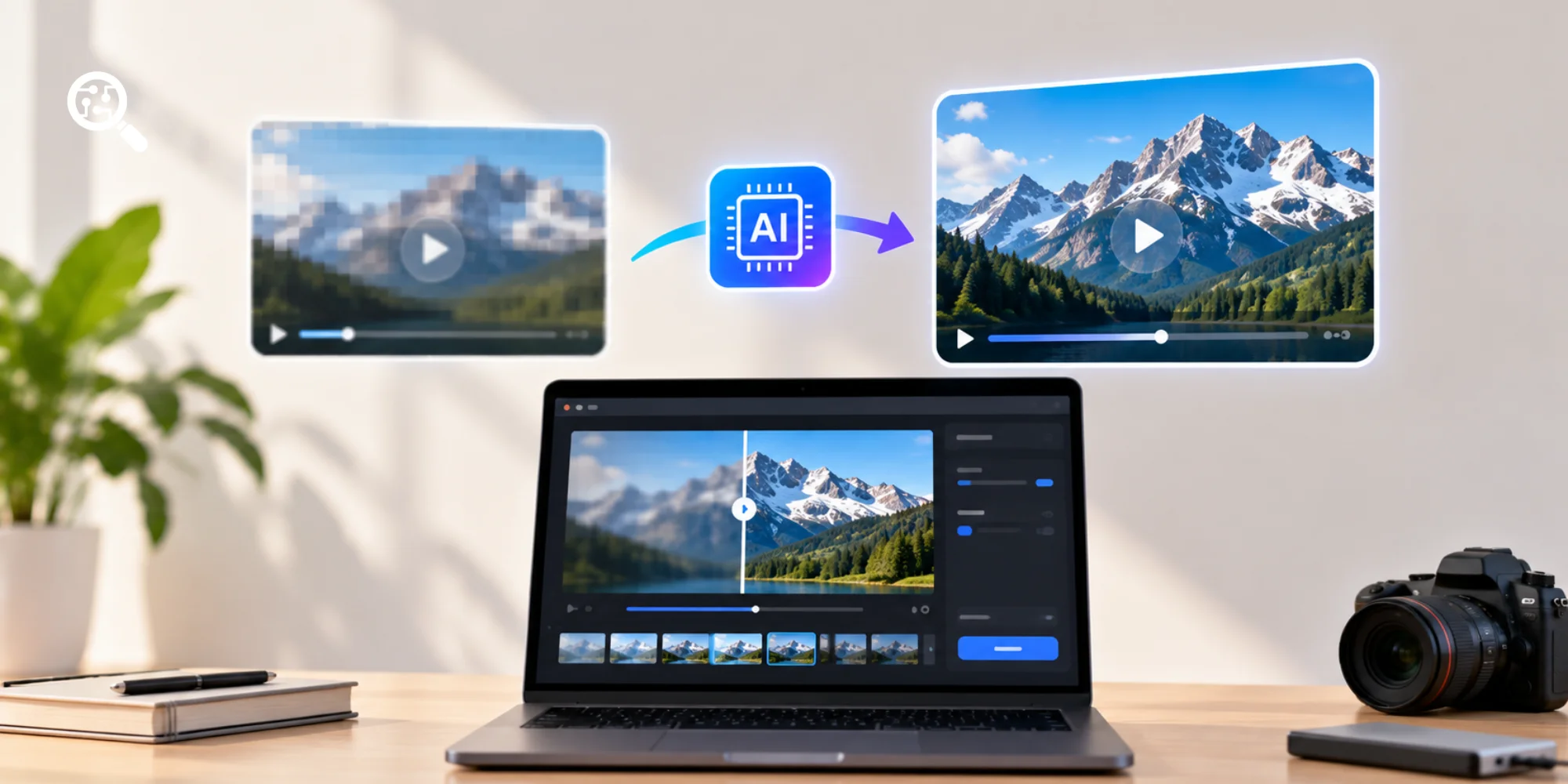
Blurry videos, old recordings, and low resolution footage can be difficult to use on modern 4K screens. Simply increasing a video's resolution often makes the image larger without improving its visible detail. AI video upscalers take a different approach. They analyze video frames to estimate missing detail, reduce noise, improve sharpness, and sometimes create intermediate frames for smoother motion. The best tools can make low quality footage more watchable, but they are not magic. AI cannot recover every detail that was missing from the original recording, and aggressive enhancement can introduce artificial textures or distort faces.
For this guide, we compared five AI video upscalers using official product documentation, published pricing, feature availability, and relevant third party comparisons. Our selection covers professional desktop software, beginner friendly enhancement, video restoration, specialized upscaling, and affordable browser based processing.
What Is the Best AI Video Upscaler in 2026?
Topaz Video is our best overall recommendation for editors and creators who need advanced control over video upscaling, noise reduction, restoration, and frame interpolation. However, the best tool depends on the source footage, your computer, and your budget. HitPaw VikPea is a strong choice for beginners, AVCLabs is worth considering for restoring old recordings, UniFab provides specialized models for different footage types, and TensorPix is suitable for users who prefer online processing. These are editorial recommendations based on documented capabilities, not a claim that we independently rendered and benchmarked identical clips in all five products.
5 Best AI Video Upscalers at a Glance
Pricing checked against publicly accessible product pages in November 2026. Prices are in USD, may exclude taxes, and may vary by billing term or promotion. Maximum output resolution is a vendor capability claim, not a guarantee of visual quality.
5 Best AI Video Upscalers
1. Topaz Video

Topaz Video is a professional video enhancement application for Windows and macOS. It offers a wide range of AI models designed for upscaling, denoising, sharpening, restoring footage, stabilization, and frame interpolation.
Unlike basic online upscalers that provide limited controls, Topaz Video allows editors to select models based on the type and condition of the source material.
For example, an editor restoring an old home video may prioritize noise reduction and detail reconstruction, while someone working with animation may need to preserve clean edges and consistent line work.
The platform includes models such as Proteus, Iris, Nyx, Artemis, Gaia, Apollo, and Chronos, among others. Different models address different enhancement tasks.
Topaz also supports local rendering, which can be valuable when working with sensitive footage or large files that users do not want to upload to a cloud service.
Key Features
- AI video upscaling and detail enhancement.
- Multiple enhancement models for different footage types.
- Video denoising and sharpening.
- Old footage restoration.
- Frame interpolation for smoother motion.
- Video stabilization.
- Local rendering on supported Windows and Mac computers.
- Optional cloud processing features on eligible plans.
Topaz Video Pricing
The official Personal plan is advertised at $25 per month, billed $299 annually. It includes unlimited local rendering and a limited monthly allowance of cloud video credits.
Higher priced plans offer additional applications, credits, and commercial use provisions. Users should check the license terms before using the software in a business production workflow.
Pros and Cons
Who Should Use Topaz Video?
Topaz Video is a strong fit for filmmakers, video editors, YouTubers, documentary producers, and archivists who regularly work with footage that needs enhancement. It is particularly useful when you need to compare different AI models and adjust the result rather than relying on a single automatic enhancement setting.
Our verdict: Best overall for advanced video upscaling and restoration workflows.
2. HitPaw VikPea

HitPaw VikPea is designed to make video enhancement more accessible to users who do not have extensive editing experience. The software provides AI models for improving resolution, reducing noise, restoring blurry footage, repairing certain video defects, and enhancing faces.
HitPaw advertises support for upscaling videos to 4K and 8K. It also offers tools for frame rate enhancement, stabilization, and improving AI generated videos. Its model based workflow can be particularly convenient for users who want to enhance family recordings, YouTube videos, social media content, or older downloaded footage without manually adjusting numerous technical parameters.
Key Features
- AI video upscaling to 4K and 8K.
- Automatic sharpening and noise reduction.
- Portrait and face enhancement models.
- Restoration of old and damaged videos.
- Animation focused enhancement.
- Video stabilization.
- Frame rate enhancement.
- Batch processing support.
- Windows and Mac desktop versions.
HitPaw VikPea Pricing
The official Windows pricing page lists a monthly subscription of $43.19 and an annual subscription of $99.99 under the promotion displayed when checked. A perpetual license is also advertised, although its price is substantially higher. Some generative enhancement features use separate credits, so the subscription does not necessarily cover unlimited use of every AI model. The free trial supports evaluation, but exporting and advanced features can have restrictions.
Pros and Cons
Who Should Use HitPaw VikPea?
HitPaw VikPea is suitable for beginner video editors, social media creators, YouTubers, and people restoring personal recordings. It is particularly attractive when ease of use matters more than detailed manual control over every stage of processing.
Our verdict: Best for beginners who want accessible AI video enhancement.
3. AVCLabs Video Enhancer AI

AVCLabs Video Enhancer AI is a desktop application designed to improve low resolution, noisy, blurry, and older video footage. It combines AI based upscaling with restoration features such as noise reduction, sharpening, colorization, and face enhancement.
For example, someone digitizing old family recordings may have footage affected by compression, faded colors, poor lighting, and limited resolution. AVCLabs provides different enhancement functions that can help address these problems. Its interface is intended to be accessible without requiring advanced knowledge of video processing.
Key Features
- AI powered video resolution enhancement.
- Upscaling of low resolution footage.
- Video denoising and sharpening.
- Face enhancement.
- Black and white video colorization.
- Frame rate and output adjustments.
- Video stabilization features.
- Restoration oriented enhancement workflows.
AVCLabs advertises 4K and higher resolution enhancement capabilities, although available output settings and processing performance depend on the version, model, and hardware.
AVCLabs Pricing
The vendor's published pricing information lists:
The lifetime license may appeal to users who prefer a one-time purchase over a recurring subscription. Check whether future major upgrades are included before buying.
Source: AVCLabs product features and pricing.
Pros and Cons
Who Should Use AVCLabs?
AVCLabs is worth considering for people digitizing VHS tapes, restoring family recordings, improving older documentary footage, or cleaning up compressed videos. For historically important footage, preserve the original file and review AI generated details carefully. Face enhancement and colorization may produce plausible but inaccurate results.
Our verdict: Best suited to restoration oriented video enhancement.
4. UniFab Video Upscaler AI

UniFab Video Upscaler AI offers AI models designed for different types of video content, including animation, everyday footage, and cinematic material. Its approach is useful because the same enhancement settings do not work equally well for every video.
For example, anime often contains flat colors, clean outlines, and stylized details. An enhancement model designed for realistic footage may introduce unwanted textures or distort illustrated characters. UniFab addresses this by offering specialized models, including Kairo for animation, Equinox for general purpose footage, Vellum for texture enhancement, and Titanus for film oriented material. The vendor advertises local upscaling to resolutions as high as 16K, while its cloud based FabCloud option currently lists a maximum output of 4K. Upscale Videos to 4K, 8K, 16K
Key Features
- AI upscaling for everyday videos.
- Specialized anime and cartoon enhancement.
- Texture focused restoration.
- Film and television enhancement models.
- Local high resolution video processing.
- Cloud processing without requiring a powerful local GPU.
- Support for different source resolutions and footage types.
- A desktop trial for evaluating enhancement results.
UniFab Pricing
UniFab offers different licenses depending on operating system, product bundle, and whether processing takes place locally or through FabCloud. The official product page advertises a 30 day desktop trial and cloud based options, but a single current starting price was not consistently established across all versions and license configurations. For an accurate comparison, check the price for your operating system and selected product rather than relying on a price from an older review.
Pros and Cons
Who Should Use UniFab?
UniFab is especially relevant for anime enthusiasts, animation editors, movie restoration hobbyists, and creators working with different types of footage. Its specialized models make it worth testing when a general purpose upscaler introduces unwanted textures or damages line art.
Our verdict: Best for users who want footage specific enhancement models, particularly for anime.
5. TensorPix

TensorPix is a browser based AI enhancement platform that allows users to process videos without installing resource intensive desktop software.
Instead of relying entirely on the user's computer, TensorPix performs enhancement in the cloud. This is useful for creators working on laptops or computers without powerful dedicated graphics cards. The platform offers AI enhancement filters for tasks such as increasing resolution, improving sharpness, reducing noise, and enhancing overall video appearance. TensorPix also provides credit based pricing, allowing occasional users to experiment before committing to a larger subscription.
Key Features
- Browser based video enhancement.
- AI powered upscaling.
- Noise reduction and sharpening filters.
- Cloud processing.
- Multiple enhancement filters.
- Free entry level access.
- Credit based subscriptions.
- API availability on selected paid plans.
TensorPix Pricing
According to TensorPix, one credit is roughly equivalent to two minutes of enhanced video, although actual consumption can vary by task. The free plan supports video enhancement for inputs up to 720p, while paid plans advertise support for inputs up to 4K. Input resolution limits should not be confused with guaranteed output resolution.
Source: TensorPix official pricing
Pros and Cons
Who Should Use TensorPix?
TensorPix is a good option for casual creators, students, marketers, and users who need occasional video enhancement without buying expensive desktop software. It is also useful for people who want to test AI upscaling before investing in a dedicated video enhancement application.
Our verdict: Best for convenient cloud based enhancement and low cost experimentation.
Which AI Video Upscaler Should You Choose?
The best choice depends on the type of footage you have and what you want to improve.
For most professional editors, Topaz Video is the strongest starting point. For users who only occasionally need to improve a short clip, a cloud-based tool such as TensorPix may be more economical.
How Does AI Video Upscaling Work?
AI video upscaling uses machine learning models to estimate how a low resolution video might look at a higher resolution. Traditional upscaling primarily increases the number of pixels through interpolation. AI based approaches can also estimate textures, reduce compression artifacts, and improve the appearance of edges.
A typical enhancement workflow includes analyzing video frames, identifying visual patterns, estimating missing detail, reducing noise, and producing a higher resolution output.
Some applications also analyze neighboring frames to improve temporal consistency. This is important because independently enhancing every frame can cause flickering or changing textures during playback.
AI Upscaling vs Traditional Upscaling
AI upscaling can make videos appear clearer, but the generated detail is an estimate. It should not be mistaken for information that was actually recorded by the camera.
How to Upscale a Video to 4K Using AI

- Step 1: Choose the highest quality source video
Start with the original recording whenever possible. A repeatedly compressed video will generally contain fewer useful details for the AI to work with.

- Step 2: Select an enhancement model
Choose a model suited to the footage. Use a restoration model for old recordings, a denoising model for grainy footage, or an animation model for cartoons.

- Step 3: Set the output resolution
For standard UHD 4K, select 3840 × 2160 for a 16:9 video. Preserve the original aspect ratio to avoid stretching or cropping the image unintentionally.

- Step 4: Preview a short section
Test a few seconds before processing the entire video. Inspect faces, moving objects, text, hair, and high-contrast edges for unnatural sharpening or flickering.

- Step 5: Export and inspect the result
Export using a suitable codec and bitrate. Watch the video at normal playback speed and compare it with the original before deleting any source files.
Can AI Really Upscale a Video From 1080p to 4K?
Yes. AI video upscalers can convert 1080p video into a 4K resolution file and improve its perceived sharpness. However, increasing the pixel count does not automatically make the video equivalent to footage originally recorded in 4K.
1080p vs 4K UHD resolution
4K UHD has four times as many pixels as 1080p. AI upscaling estimates the additional visual information; it does not recover the original camera data. The results depend on the quality of the source video, the enhancement model, the amount of compression, and the processing settings. A clean 1080p video may upscale convincingly, while a heavily compressed 360p recording can still look artificial after enhancement.
How to Choose the Best AI Video Upscaler
Before purchasing, evaluate five practical factors.
- Video quality: Test whether the software improves the actual footage you work with. An impressive promotional demonstration may not reflect your own videos.
- Processing speed: A short clip can contain thousands of frames. High quality AI processing may take significantly longer than the original video's playback duration.
- Hardware requirements: Desktop tools often benefit from a capable GPU and sufficient video memory. Cloud tools reduce local processing requirements but require uploads.
- Pricing model: Compare monthly subscriptions, annual licenses, perpetual licenses, and credit based plans. Consider the cost of your expected monthly video duration.
Privacy and commercial rights: Check where files are processed, how long uploads are retained, and whether the license permits commercial use.
For editors handling client footage, confidential material, or sensitive recordings, processing location and data retention may be as important as image quality.
What Are the Limitations of AI Video Upscaling?
AI video enhancement has improved considerably, but several limitations remain.
One common problem is hallucinated detail. An AI model may create realistic looking skin textures, lettering, or background objects that were not present in the source. Another problem is temporal inconsistency. Details may change slightly between frames, creating flickering or unnatural movement. Processing time is also a consideration. A one minute video at 30 frames per second contains 1,800 frames, and advanced enhancement models may require substantial computing resources. Finally, a larger output file does not necessarily mean a better video. For heavily damaged footage, a modest improvement at 1080p may look more natural than aggressive upscaling to 8K.
Final Verdict
The best AI video upscaler is the one that improves your specific footage without introducing distracting artifacts or unnecessary costs. For professional video editors and serious creators, Topaz Video is our top overall recommendation because of its advanced enhancement models, restoration tools, and local processing capabilities. HitPaw VikPea is a practical alternative for beginners, while AVCLabs deserves consideration for old recordings. UniFab stands out for its specialized anime and cinematic enhancement models, and TensorPix offers an accessible cloud based option for occasional users. Before purchasing any tool, process a short sample of your own footage. Compare the output at normal playback speed, inspect difficult details, and calculate the cost of the amount of video you actually need to enhance. You can discover additional AI tools on AI Tool Hunt for video editing, content creation, and marketing.
Peoples are also Reading:
Frequently Asked Questions
Featured AI Tools





Top Categories
You Might Also Enjoy
More articles from our blog that you may find interesting.

7 Best AI Tools for PPT Generation in 2026 (Free & Paid)
7 Best AI Tools for PPT Generation in 2026 (Free & Paid)Creating a professional PowerPoint prese...
10 Best AI Shopify Store Builders in 2026
10 Best AI Shopify Store Builders in 2026 Building a Shopify store used to involve choosing a t...

GravityWrite vs Writesonic (2026): Which AI Writing and SEO Tool Is Better?
Choosing between GravityWrite and Writesonic is no longer just about which AI writer can generate a...

ChatGPT Statistics 2026: Users, Growth, Revenue & Usage
ChatGPT has grown from an experimental AI chatbot into one of the most widely used consumer technolo...

Framer vs Lovable (2026): Features, Pricing & SEO Compared
Framer is generally better for visually polished marketing websites, portfolios, landing pages, and...

10 Best AI Tools for Leaders in 2026: Features & Uses
Leadership has always involved making decisions with incomplete information, managing competing prio...